
The GitHub release bot for Discord.
SourcePing posts every new GitHub release to your Discord server the moment it is published, with the release notes and download assets right in the message. Pre-releases and tags too.

Release announcements your community will actually read.
Point SourcePing at any public GitHub repository and it checks for new releases on a schedule. When a release is published, it posts an announcement to the channel you picked, with the version, the release notes and the files attached to the release.
Stable releases and pre-releases can go to different channels, so betas, release candidates and nightlies reach your testers without filling the main announcements channel. Projects that only push version tags are covered as well.
No webhooks, no GitHub app and no access to your account: a link to the repository is all it needs.
Set up release notifications in four steps.
Add the bot to your server, then answer four questions in the dashboard or with slash commands.
- 01
Add the repository
Paste the link to any public GitHub repository. No GitHub sign-in or token needed.
github.com/owner/repo - 02
Pick release events
Stable releases, pre-releases, version tags, or any mix of them.
releasespre-releases - 03
Choose channels and pings
Send each kind of release to its own channel and ping the role that should hear about it.
#releases@Core Testers - 04
Set the schedule
Post each release as soon as it is found, or collect them into an hourly or daily digest.
instantdaily digest
Everything a release announcement needs.
Built for projects that ship often and communities that want to know straight away.
Release notes in the message
Each announcement carries the release title, tag and notes, so members see what changed without leaving Discord.
Download assets listed
Files attached to the release are listed in the announcement, so people can find the right build straight away.
Pre-releases kept apart
Betas, release candidates and nightlies are marked as pre-releases and can go to a separate testers channel.
Version tags
Some projects tag versions without publishing a release. SourcePing can announce new tags too.
Role pings
Ping a role on the releases that deserve it, and leave quieter updates unpinged.
Hourly and daily digests
Repositories that publish nightlies can roll them into one digest instead of a message per build.
Many repositories, many channels
Watch several repositories and route each one, and each kind of release, to the channel where it belongs.
Fast, efficient checks
Checks use ETags, so an unchanged repository costs almost nothing. Pro checks every 15 minutes and Business every 5.
No flood on day one
Adding a repository with years of history doesn't replay it. Only releases published after you add it are posted.
Preview every announcement.
See exactly how release announcements will look before they post, with your own footer and colour on Business.
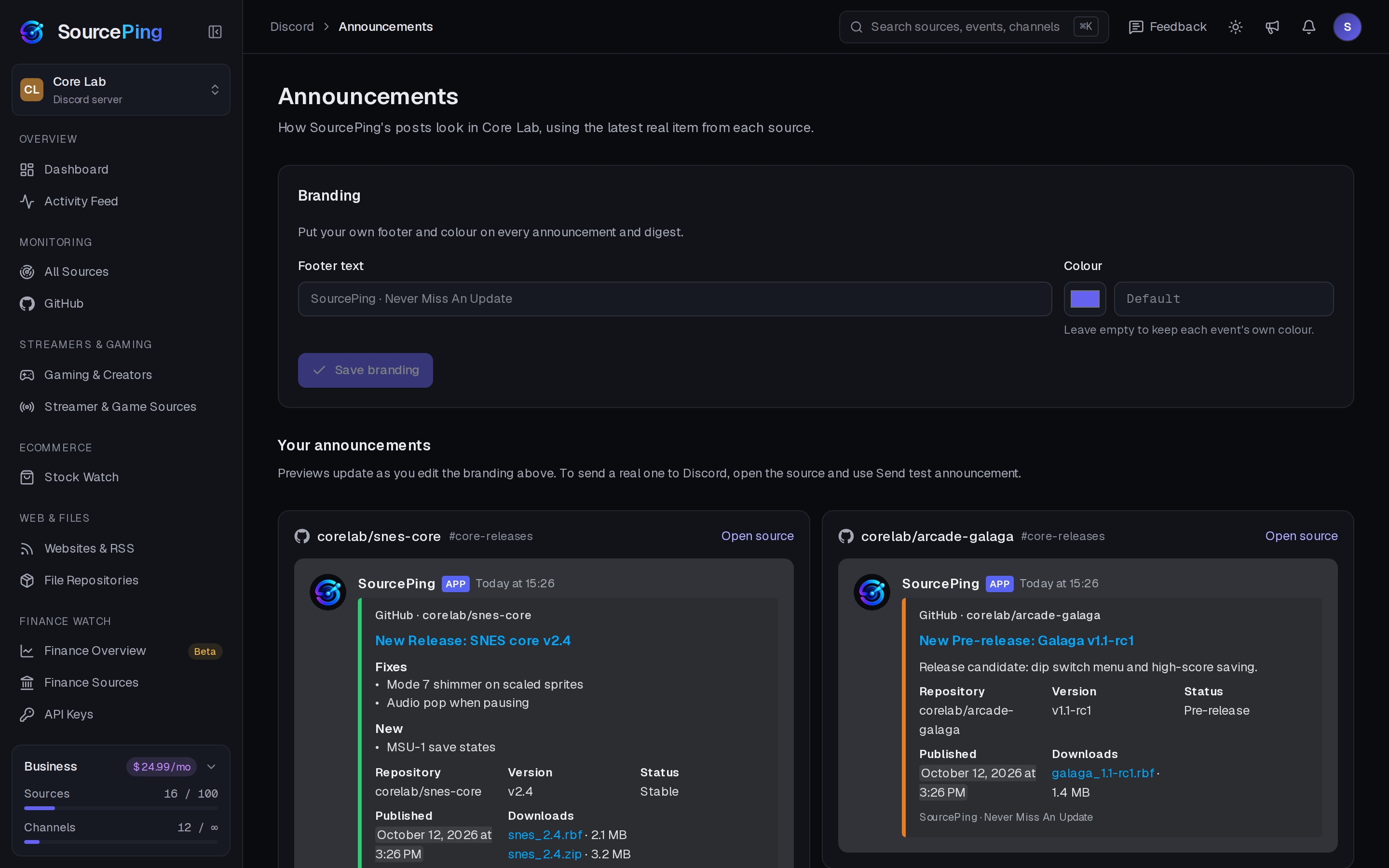
How do I get GitHub releases posted in Discord?
Add SourcePing to your server, paste the repository link, pick releases and choose a channel. New releases are posted from then on, with their notes and assets.
Does it need access to my GitHub account?
No. Public repositories work with just a link, and nothing is installed on GitHub. Private repositories aren't supported.
Can pre-releases go to a different channel?
Yes. Stable releases and pre-releases can each go to their own channel, with their own role ping, or be collected into a digest.
How quickly are new releases posted?
As often as your plan checks: every 15 minutes on Pro and every 5 minutes on Business.
Will it flood my channel when I add a repository with lots of releases?
No. The first check quietly records everything that already exists. Only changes after that are announced.
How much does it cost?
SourcePing has a Free plan, free forever: 3 sources (GitHub releases, RSS, YouTube or Twitch) checked hourly in one channel. Every Discord server starts with 14 days of Pro, then drops to the Free plan unless you upgrade. No card needed. Pro is $5.99 USD a month and Business is $24.99 USD a month, billed per server through Whop.
Your next release deserves an audience.
Add SourcePing to your server and post your first GitHub release in under two minutes.