
Restock, new product and price drop alerts for Discord.
SourcePing watches the Shopify and WooCommerce stores your community follows and posts to your Discord channel when a new product launches, something comes back in stock, sells out or drops in price. Watch a whole store, one collection, or a single product down to each size, colour or edition.

Real restocks, not false alarms.
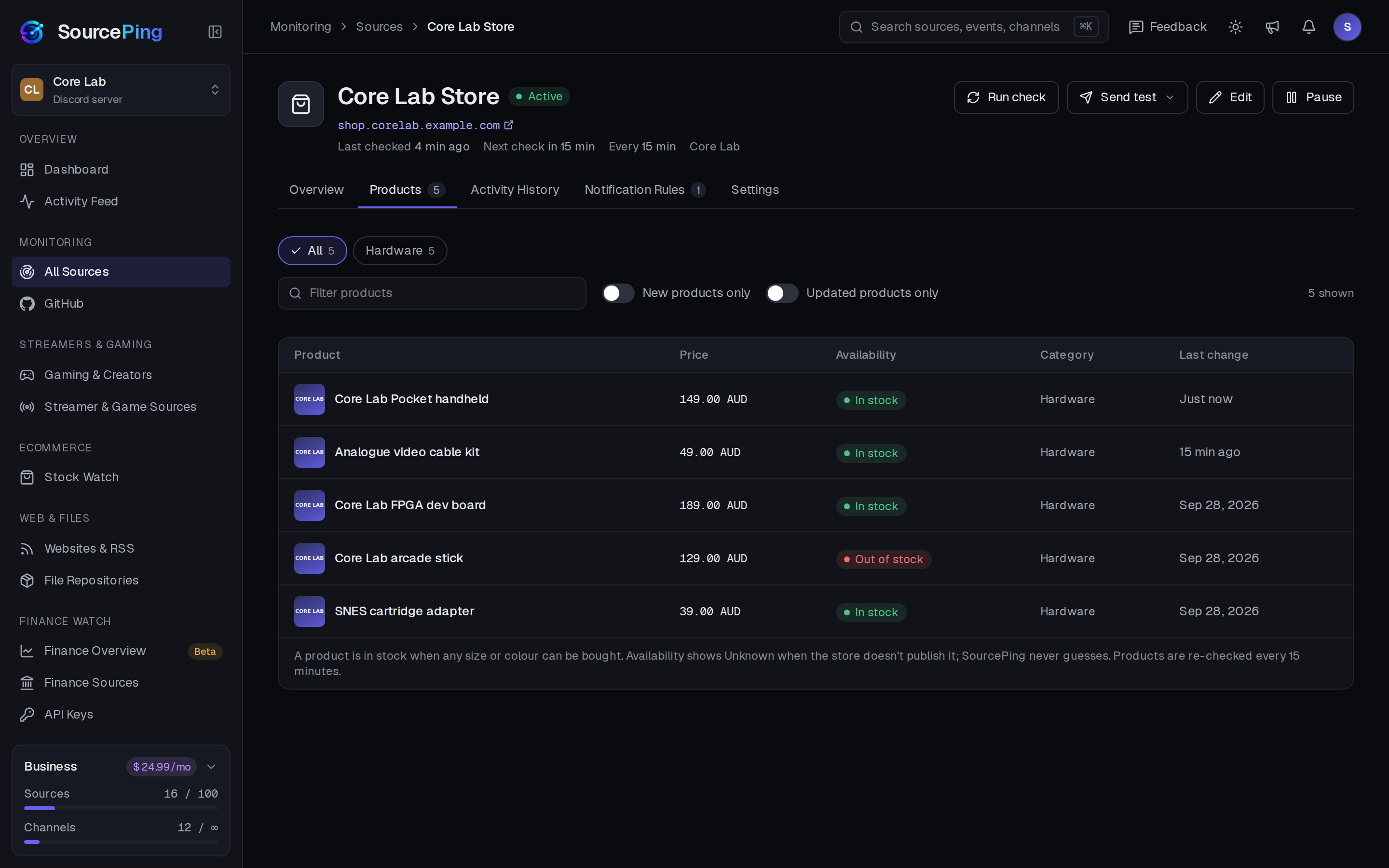
Paste a store, a collection or a product link. SourcePing reads the product data the store publishes itself: the public product listing every Shopify store offers, the WooCommerce Store API, and the standard product markup many other platforms add for search engines. Products and variants are tracked with their price and stock status.
A store or collection watch posts each new product as it appears, plus restocks and sell-outs across the whole catalogue. Adding a store posts nothing on day one: the first check quietly records what's already there.
A failed check, a blocked page or missing data is never treated as sold out, and a restock is only posted when a variant really goes from out of stock to in stock. Stock read from a page has to be seen on two checks in a row before it counts, and each restock is posted once.
Set a target price and price drops are only announced once the product reaches your number. Every announcement links to the store's own product page, with an Add to cart link on Shopify stores. SourcePing never buys anything for you or gets around a store's queues or checks.
Set up restock alerts in four steps.
Add the bot to your server, paste a product link, and choose what to announce.
- 01
Paste a store or product link
A Shopify or WooCommerce store, a collection or category, or any single product page.
shop.example.com/collections/newshop.example.com/products/board - 02
Narrow it down
Watch every product or variant, only the sizes and colours you want, or products matching keywords.
Rev Ckeyword: limited - 03
Choose alerts
New products, back in stock, pre-orders, sold out and price changes.
new productsback in stock - 04
Set a target and a channel
Only post price drops at your target price, and ping the role that asked.
A$99@Deals
Stock alerts your community can trust.
For deal channels, collector communities, makers and fans waiting on a limited drop.
New products
Watch a whole Shopify or WooCommerce store or collection and hear about each new product as it lands.
Back in stock
Posted when a sold-out variant can be bought again, once per restock.
Every size and colour
Each variant is tracked on its own, with its price and status.
Price drops and targets
Hear about every price drop, or only when the price reaches your target.
No false alarms
A failed check never counts as sold out. Unknown stock never triggers an alert.
Straight to the store
Buy now and Add to cart links go to the store's own pages. Nothing is bought for you.
Every product, price and status.
A whole store or collection, each product with its price and stock status. Single product watches go down to each size or colour.
Which stores work?
Shopify and WooCommerce stores, for whole stores, collections and single products. Product pages on other shops work too when they include standard product markup (schema.org). If a store doesn't publish stock data, SourcePing tells you instead of guessing.
How many products can I watch?
The 14-day Pro trial includes 5 slots. Pro can add Stock Watch with 10 slots for $4.99 USD a month, and Business ($24.99 USD a month) includes 20. A single product uses 1 slot and a whole store or collection uses 5, however many products it has (up to the newest 1,000).
How often are products checked?
Every 30 minutes on the Pro trial, every 15 minutes with the Pro add-on and every 10 minutes on Business.
Will it buy the product for me?
No. SourcePing only posts an alert with links to the store. You check out yourself on the retailer's site, and it never gets around a store's queues or checks.
Will it flood my channel when I add a product?
No. The first check quietly records everything that already exists. Only changes after that are announced.
What permissions does the bot need in Discord?
View Channels, Send Messages, Embed Links and Read Message History in the channels you choose. It never reads what your members write.
Be first in line when it's back.
Add SourcePing to your server and set up your first restock alert in under two minutes.