
GitHub issue notifications in Discord.
Keep your team and community up to date on GitHub issues without living in the issue tracker. SourcePing posts issues, comments, label changes, feature requests and pull requests to the Discord channels you choose.

Your issue tracker, where your people already are.
SourcePing watches a public repository and announces issues as they are opened, closed or reopened. For triage, it can also post new comments and changes to labels, assignees and milestones.
Feature requests are issues with a label such as enhancement or feature. SourcePing picks them out and posts them separately, including when they are accepted or declined, so your roadmap channel only sees ideas.
Pull requests and GitHub Discussions are covered too: opened, merged, closed and ready for review, and new or answered discussions.
Set up issue alerts in four steps.
Add the bot to your server, then pick exactly which issue activity should be announced.
- 01
Add the repository
Paste the link to any public GitHub repository. No GitHub sign-in needed.
github.com/owner/repo - 02
Pick issue events
Opened, closed, reopened, comments, label changes, feature requests, pull requests, discussions.
issuesfeature requests - 03
Filter by label
Only announce issues with the labels you care about, such as bug or good first issue.
bugenhancement - 04
Choose channels
Send bugs to your support channel and feature requests to your roadmap channel, with role pings.
#bugs#roadmap
Every kind of issue activity, sorted for you.
Turn on only what is useful and route each kind of event to the people who handle it.
Issues opened, closed and reopened
The core of any issue feed. Each announcement shows the title, labels and a short excerpt.
Comments
Post new issue comments so the conversation is visible to the people who can help.
Triage changes
Optional alerts when labels, assignees or milestones change, for teams that triage together.
Feature requests by label
Issues labelled enhancement, feature or similar are treated as feature requests, with their own events for accepted and declined.
Pull requests
Opened, merged, closed and ready for review, so contributors see their work land.
Discussions
New GitHub Discussions threads, and when a question gets an answer.
Label and keyword filters
Only post what matches the labels or keywords you choose, and skip the rest.
Per-channel routing and role pings
Bugs to one channel, feature requests to another. Add a role ping where a fast response matters.
Hourly and daily digests
Busy tracker? Collect issue activity into an hourly or daily digest instead of a message for every change.
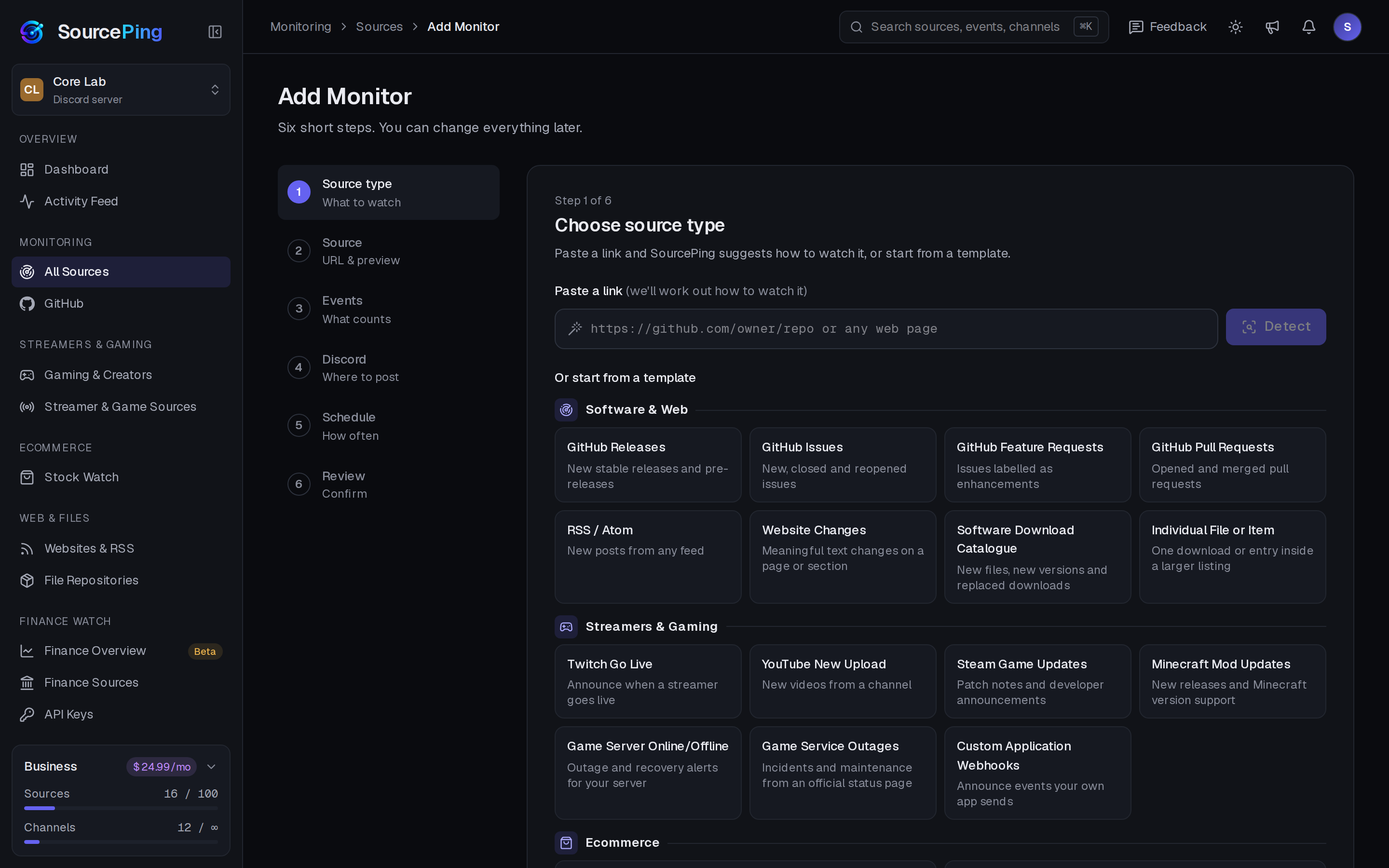
Pick events in a few clicks.
Choose a source type, paste a link, pick the events and channels, set the schedule and review. Every setting is also a slash command.
Which issue events can SourcePing post?
Issues opened, closed and reopened, new comments, and optional changes to titles, descriptions, labels, assignees and milestones. Pull requests and discussions are available too.
How are feature requests detected?
By label. Issues labelled enhancement, feature, feature-request or suggestion count as feature requests, and labels such as accepted or wontfix mark them as accepted or declined.
Can I only post issues with a certain label?
Yes. Add a label filter and only matching issues are announced. Keyword filters work too.
Does it need access to my GitHub account?
No. Public repositories work with just a link. Private repositories aren't supported.
Will it flood my channel when I add a repository with hundreds of open issues?
No. The first check quietly records everything that already exists. Only changes after that are announced.
What permissions does the bot need in Discord?
View Channels, Send Messages, Embed Links and Read Message History in the channels you choose. It never reads what your members write.
Never lose an issue in the noise.
Add SourcePing to your server and start posting GitHub issues to Discord in under two minutes.