
Website change notifications in Discord.
SourcePing watches the web pages you care about and posts to Discord when they change, with the lines that were added and removed. Watch a whole page or just one section of it.

Real changes, not noise.
On every check, SourcePing reads the visible text of the page, strips out scripts, styles and layout, and compares it with the last version it saw. When the text changes, it posts a summary of what was added and removed.
Pages are full of things that change on every visit: view counters, "last updated" times, session tokens, rotating adverts. SourcePing ignores those lines, and a change has to be seen on two checks in a row before it is announced, so you only hear about real updates.
Point a CSS selector at the part you care about, such as a changelog or a status table, and the rest of the page can change freely.
Set up website alerts in four steps.
No scripts, no browser extension, no servers to run. Paste a link and answer four questions.
- 01
Paste the page URL
Any public web page: a changelog, a pricing page, a status page, a news page.
example.com/changelog - 02
Choose what to watch
The whole page, or only the section matched by a CSS selector.
whole page#changelog - 03
Choose channels
Send changes to the channel that needs them and ping a role when it matters.
#site-updates@Updates - 04
Set the schedule
Post each change once it is confirmed, or roll them into an hourly or daily digest.
instanthourly digest
Page monitoring that stays quiet until it matters.
A page monitor is only useful if it doesn't cry wolf. SourcePing is built around that.
Whole page monitoring
Compare all the visible text on a page, with layout, scripts and styles stripped out.
Watch one section
Point a CSS selector at the part that matters and ignore the rest of the page.
Noise filtering
Lines that change on every visit, like view counters, timestamps and session tokens, are ignored.
Two-check confirmation
A change must be seen on two checks in a row before it is announced, so rotating adverts and A/B tests don't trigger alerts.
Before and after
Every announcement lists the lines added and removed, so you can see what changed at a glance.
Per-channel routing and role pings
Send each page to its own channel, and ping a role for the pages that need quick action.
Hourly and daily digests
Collect changes from many pages into one digest instead of separate messages.
Frequent checks
Pro checks websites every 30 minutes and Business every 10 minutes.
Download pages too
Watching a software download page? SourcePing reads it as a catalogue of files with versions.
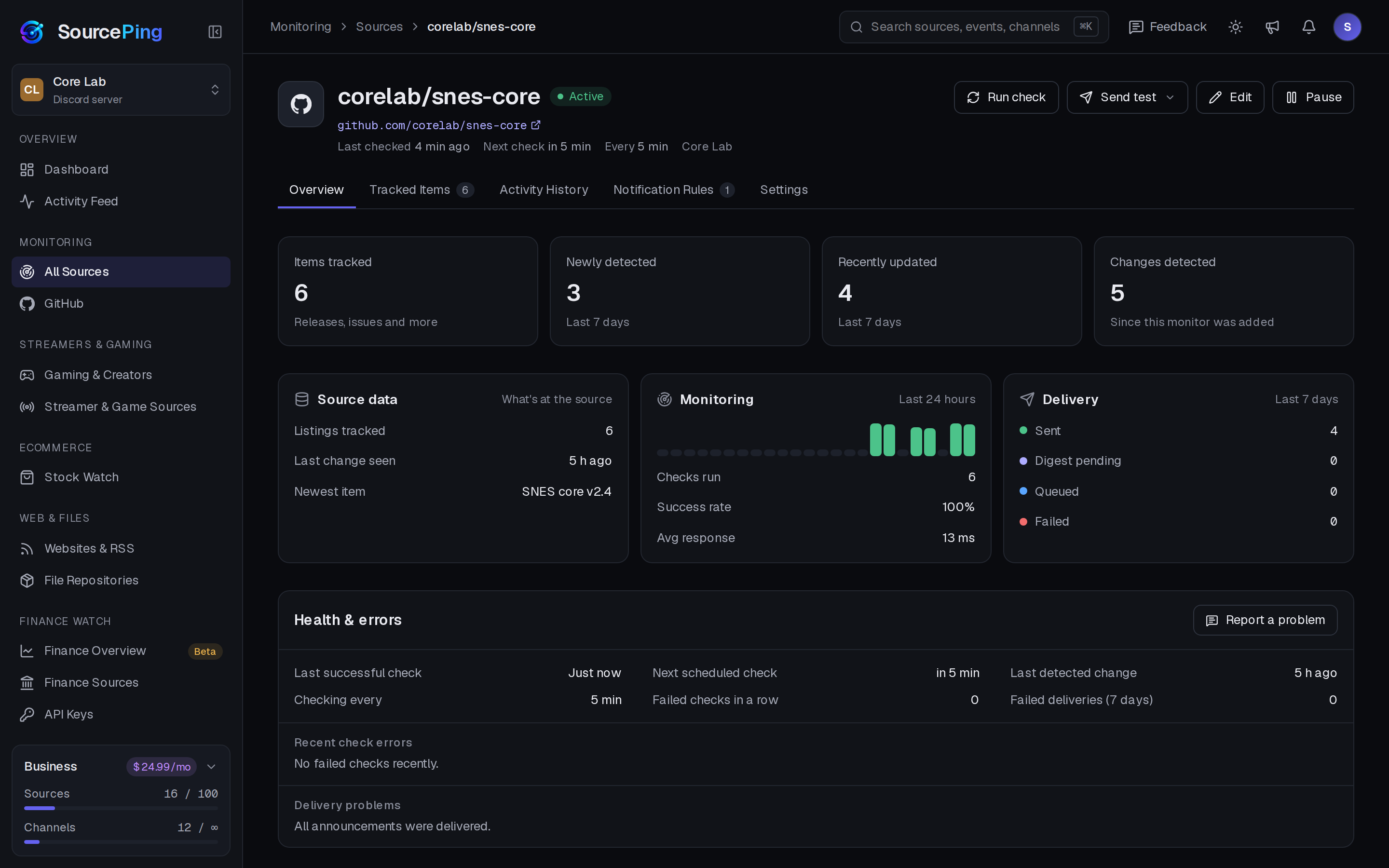
See exactly what it's watching.
Items tracked, check history and success rate, and what was delivered, for every page you monitor.
How do I get notified in Discord when a website changes?
Add SourcePing to your server, paste the page URL, optionally pick a section with a CSS selector, and choose a channel. Changes are posted from then on.
Can I watch just part of a page?
Yes. Give SourcePing a CSS selector, such as #changelog, and only that section is compared.
How do you avoid false alarms?
Lines that change on every visit, like view counters, timestamps and session tokens, are ignored, and a change must show up on two checks in a row before it is announced.
What does a change announcement show?
The page and section, and the lines that were added and removed since the last confirmed version.
How often are pages checked?
Every 30 minutes on Pro and every 10 minutes on Business. You can also batch posts into hourly or daily digests.
Will it flood my channel when I add a page?
No. The first check quietly records everything that already exists. Only changes after that are announced.
Know the moment the page changes.
Add SourcePing to your server and set up your first website monitor in under two minutes.