
Minecraft mod updates from Modrinth, in Discord.
SourcePing follows Minecraft mods, modpacks and plugins on Modrinth and posts each new release to your Discord channel, with the changelog, the supported Minecraft versions and the loaders.

Know which update works with your version.
Paste a Modrinth project link and SourcePing reads the project through Modrinth's official API. When a new version is published, the announcement shows the version number, release type, changelog, Minecraft versions and loaders.
Only want builds for the version your server runs? Filter announcements by Minecraft version or loader, like 1.21.5 or Fabric. Betas and alphas are a separate choice, so testers can get them in their own channel.
SourcePing can also post when a project adds support for a new Minecraft version or loader, which is often exactly what a modded server is waiting for.
Set up mod update alerts in four steps.
Add the bot to your server, then pick the project and the versions you care about.
- 01
Add the project
Paste the Modrinth link of a mod, modpack or plugin.
modrinth.com/mod/sodium - 02
Pick events
New releases, betas and alphas, and new Minecraft versions or loaders.
releasesnew versions - 03
Filter by version
Only post releases for the Minecraft version or loader your server uses.
1.21.5fabric - 04
Choose channels and pings
Send releases to your mod channel and betas to your testers.
#mod-updates@Testers
Mod updates your players can act on.
For modded servers, modpack teams and mod authors who want their community up to date.
Mods, modpacks and plugins
Any public Modrinth project, announced with its version number and release type.
Changelog in the message
The changelog for each new version is included, so players see what changed without leaving Discord.
Filter by version or loader
Only announce releases for the Minecraft versions or loaders you choose.
Betas kept apart
Betas and alphas are a separate choice and can go to a testers channel.
New Minecraft versions
Hear when a project adds support for a new Minecraft version or loader.
No flood on day one
Versions published before you add the project are never announced.
Add a Modrinth project in a few clicks.
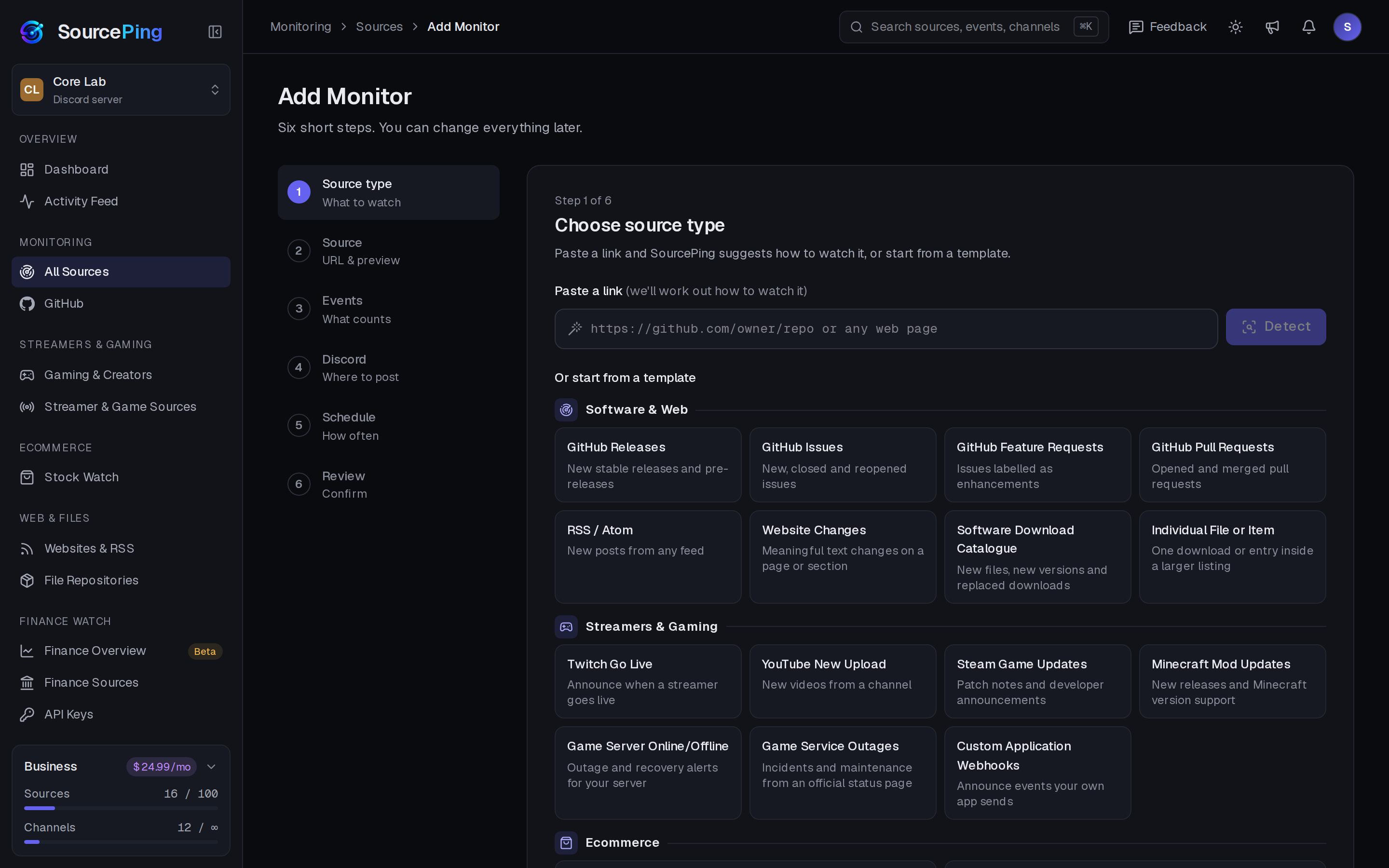
Pick Mod Watch: Modrinth, paste the project link, choose events, filters and channels, and review.
How do I get Modrinth mod updates in Discord?
Add SourcePing to your server, choose Mod Watch: Modrinth in Add Monitor, paste the project link and pick a channel. New versions are posted from then on.
Can I only get updates for my Minecraft version?
Yes. Add a Minecraft version or loader filter, and only releases that support it are posted.
How often are projects checked?
Every 30 minutes by default, using Modrinth's official API.
Does it support CurseForge?
Not at the moment. SourcePing follows projects on Modrinth.
How much does it cost?
Twitch and YouTube alerts are included in the Free plan. The rest of Gaming & Creators is included in Pro ($5.99 USD a month) and Business ($24.99 USD a month) at no extra cost, billed per server through Whop. Every Discord server starts with 14 days of Pro, then drops to the Free plan unless you upgrade. No card needed.
What permissions does the bot need in Discord?
View Channels, Send Messages, Embed Links and Read Message History in the channels you choose. It never reads what your members write.
Keep your modded server up to date.
Add SourcePing to your server and post your first mod update in under two minutes.