
Investor relations news alerts for Discord.
SourcePing follows the investor news feeds of the companies your community watches and posts each new press release or announcement to your Discord channel, with the headline, the time it was published and a link to the official announcement.
Factual alerts only, not financial advice.

The company's own words, as they publish them.
Most investor relations websites publish their press releases as an RSS or Atom feed. Paste the feed address, add the company name, and SourcePing checks it every 15 minutes on Pro and as often as every 10 minutes on Business.
Each new announcement is posted once, with the headline, the feed's own summary and a link to the official release. An edited press release isn't posted again, and announcements published before you started following the company are never posted.
Nothing is summarised, rated or described as good or bad news. For US-listed companies, pair it with SEC filing alerts and an investor calendar to follow results from the date being set to the filing.
Set up investor news alerts in four steps.
Add the bot to your server, then paste the company's investor news feed.
- 01
Paste the news feed
The RSS or Atom feed from the company's investor relations site.
investors.example.com/rss - 02
Name the company
Give the monitor the company's name so every post is clearly labelled.
Northwind Robotics - 03
Choose channels and pings
Post announcements where your community reads them and ping a role if you like.
#investor-news@Holders - 04
Set the schedule
Post each announcement as it is found, or collect them into a daily digest.
every 15 mindaily digest
Company announcements, without the noise.
For investor communities and company followers who want official news as it is released.
From the company itself
Announcements come from the company's own investor relations feed, not a news aggregator.
Link to the official release
Every post links to the announcement on the company's website.
Posted once
Edited releases aren't posted again, and older announcements are never posted.
Keyword filters
Only post announcements whose headline matches the words you choose.
Digests
Collect a busy company's news into an hourly or daily digest.
Works with SEC filings
Follow the same company's SEC filings and investor calendar alongside its news.
Filings and announcements at a glance.
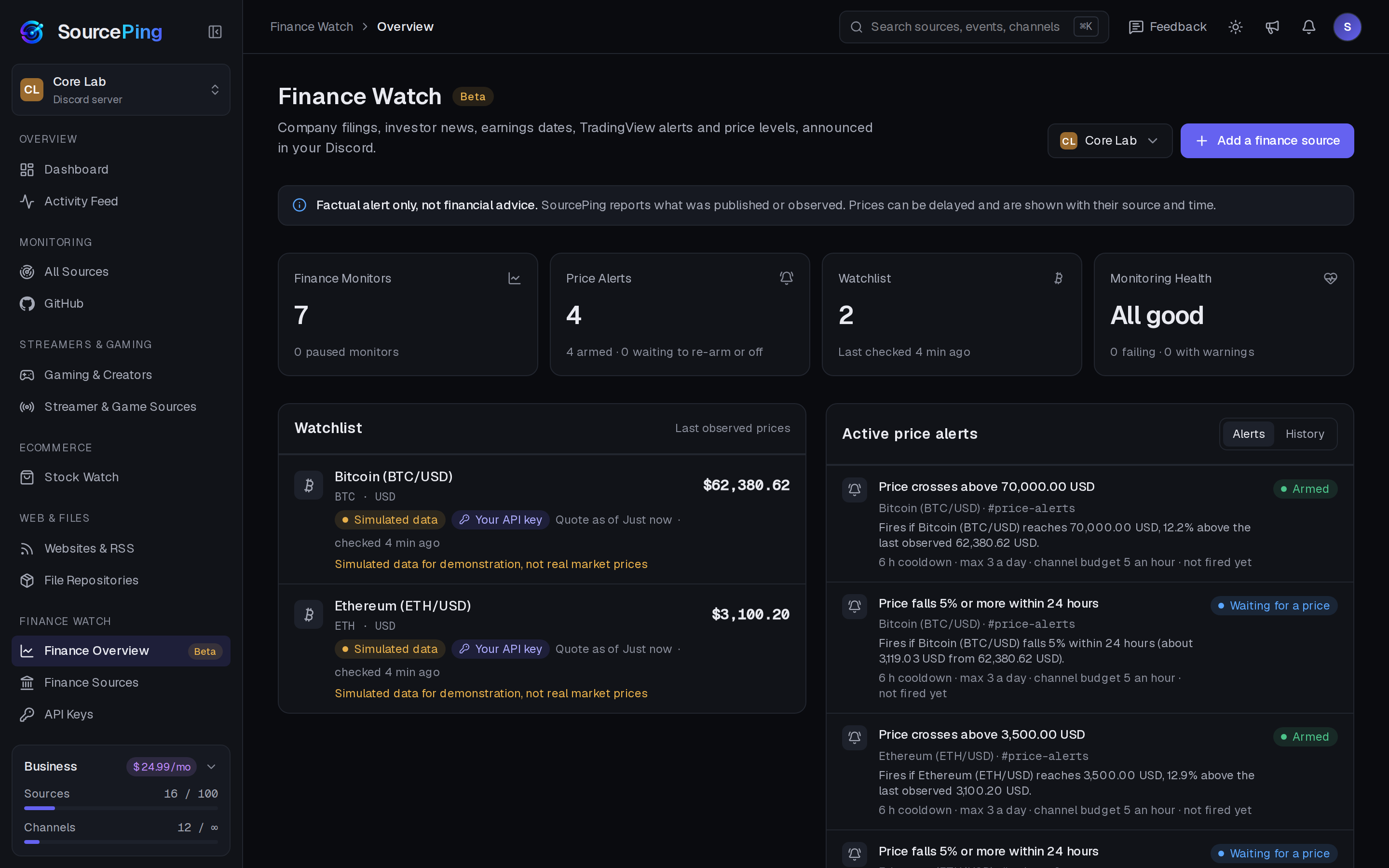
The Finance Watch overview shows the latest filings and announcements, upcoming investor events and your alerts.
Where do I find a company's investor news feed?
Look for an RSS, Atom or news alerts link on the company's investor relations website, often in the news or press release section. Paste that feed address into SourcePing.
Which companies are covered?
Any listed company whose investor relations site publishes a public RSS or Atom news feed, in any country.
How quickly are announcements posted?
Feeds are checked every 15 minutes on Pro and as often as every 10 minutes on Business, so an announcement is usually posted within minutes of appearing in the feed.
Is this financial advice?
No. Finance Watch posts factual alerts only, not financial advice. Announcements state what happened and link to the source.
How much does it cost?
Finance Watch is in Beta and included in Pro ($5.99 USD a month) and Business ($24.99 USD a month) at no extra cost, billed per server through Whop. Every Discord server starts with 14 days of Pro, then drops to the Free plan unless you upgrade. No card needed.
What permissions does the bot need in Discord?
View Channels, Send Messages, Embed Links and Read Message History in the channels you choose. It never reads what your members write.
Official company news, in your channels.
Add SourcePing to your server and follow your first company's investor news in under two minutes.