
Game server status alerts for Discord.
Know when your game server goes down, and when it is back. SourcePing checks your Minecraft or Steam game server every 5 minutes and posts online, offline and player count alerts to your Discord channel.

Real outages, not dropped pings.
Enter your server's address and pick the game: Minecraft Java Edition, Minecraft Bedrock Edition or a Steam game server that answers the standard server query. SourcePing asks the server for its status every 5 minutes, using the game's own status query.
A single missed reply isn't an outage. A server is only announced as offline after 3 failed checks in a row, and Back online is only posted after a confirmed outage. You can also hear when the server is full, when the player count passes a number you choose, or when it reports a new game version.
Playing an online game? Game Service Outages posts outages, incidents and maintenance from official status pages in the Statuspage format, like discordstatus.com, so players know when the problem isn't on your side.
Set up server status alerts in four steps.
Add the bot to your server, then enter your game server's address.
- 01
Add your server
Enter the address and port and pick the game it runs.
play.example.com:25565 - 02
Pick alerts
Offline, back online, server full, player count and version changes.
offlineback online - 03
Choose channels and pings
Post status alerts where your players look and ping your admins on outages.
#server-status@Moderators - 04
Set a player threshold
Only hear about player counts above the number you choose.
20 players
Server alerts you can trust.
For community servers, hosts and clans that need to know when their server needs attention.
Minecraft and Steam servers
Minecraft Java and Bedrock, and Steam game servers that answer the standard server query.
No false alarms
Offline is only posted after 3 failed checks in a row, so one dropped ping never wakes anyone.
Back online alerts
A recovery alert follows every confirmed outage, so everyone knows they can rejoin.
Players and full servers
Hear when the server fills up or the player count passes your threshold.
Version changes
Know when the server reports a new game version after an update.
Game service outages
Outages and maintenance from official status pages, included in Pro and Business.
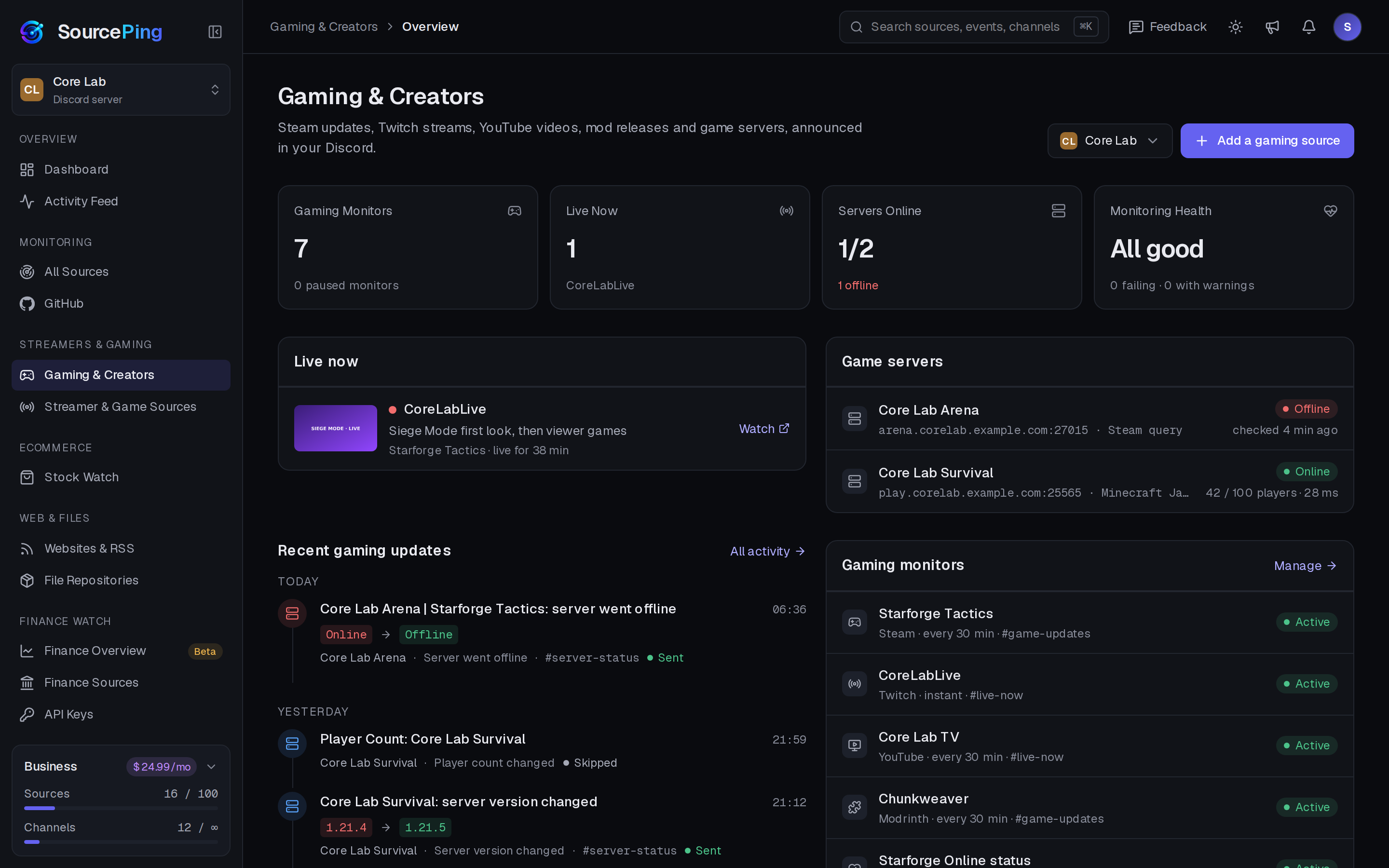
Every server at a glance.
The Gaming & Creators overview shows each server's status, players and response time, next to live streams and the latest updates.
Which games are supported?
Minecraft Java Edition, Minecraft Bedrock Edition, and Steam game servers that answer the standard Steam server query.
How often is my server checked?
Every 5 minutes. A server is announced as offline only after 3 failed checks in a row, and back online only after a confirmed outage.
Which plan do I need?
Game Server Status is part of Business ($24.99 USD a month per Discord server), which watches up to 5 game servers. Game Service Outages for official status pages is included in Pro and Business.
Does it work with SRV records?
Not yet. Enter the server's real address and port instead.
Can it watch a server on my home network?
Only servers with a public address can be monitored, on ports 1024 to 65535.
What permissions does the bot need in Discord?
View Channels, Send Messages, Embed Links and Read Message History in the channels you choose. It never reads what your members write.
Know before your players do.
Add SourcePing to your server and set up your first game server alert in under two minutes.