
Software update alerts for Discord.
SourcePing watches software download pages and GitHub releases, and tells your Discord server when a new file appears, a version goes up or a download is replaced, with the before and after.

A catalogue of every download, kept up to date.
Give SourcePing a download page and it reads every file link on it, along with each file's title, version and description where the page shows them. That becomes a catalogue it checks on a schedule.
When tool-1.2.zip is swapped for tool-1.3.zip, SourcePing understands it is the same download at a new version and posts one update from 1.2 to 1.3, not a new file plus a removal. It also notices a file replaced at the same link, and edits to a download's description.
Only care about one download in a long list? Watch that single item. And for software released on GitHub, the same server can follow releases with their assets.
Set up download alerts in four steps.
Add the bot to your server, paste a download page, and choose what to announce.
- 01
Paste the download page
A public page that lists software downloads, or a GitHub repository for releases.
example.com/downloads - 02
Choose what to announce
New files, new versions, replaced files, description changes and removed files.
new versionsnew files - 03
Whole catalogue or one item
Watch every file on the page, or pick the single download you care about.
whole catalogueone item - 04
Choose channels and schedule
Route updates to your downloads channel, ping a role, and post instantly or as a digest.
#downloadsdaily digest
Know exactly what changed, and in which file.
Deterministic parsing of the page: if a site doesn't show a field, SourcePing doesn't guess it.
Download catalogues
Every file on the page becomes an entry with its title, version and description, so announcements can say what changed.
New files
Announce downloads that weren't there before, with their description.
New versions, 1.2 to 1.3
Version-aware matching posts one clear update with the old and new version numbers.
Replaced files
Notices a file replaced at the same link, for example when its size or modified date changes.
Description changes
Edits to a download's description are announced. Tiny edits like punctuation are ignored.
Removed files
Optionally announce when a download disappears from the page.
Individual item watching
Follow one file or entry inside a larger listing, and ignore everything else on the page.
Paginated catalogues
Download lists spread over several pages are followed page by page, without ever leaving the site.
GitHub releases too
Software published on GitHub? Follow its releases, with notes and assets, on the same server.
Everything at a glance.
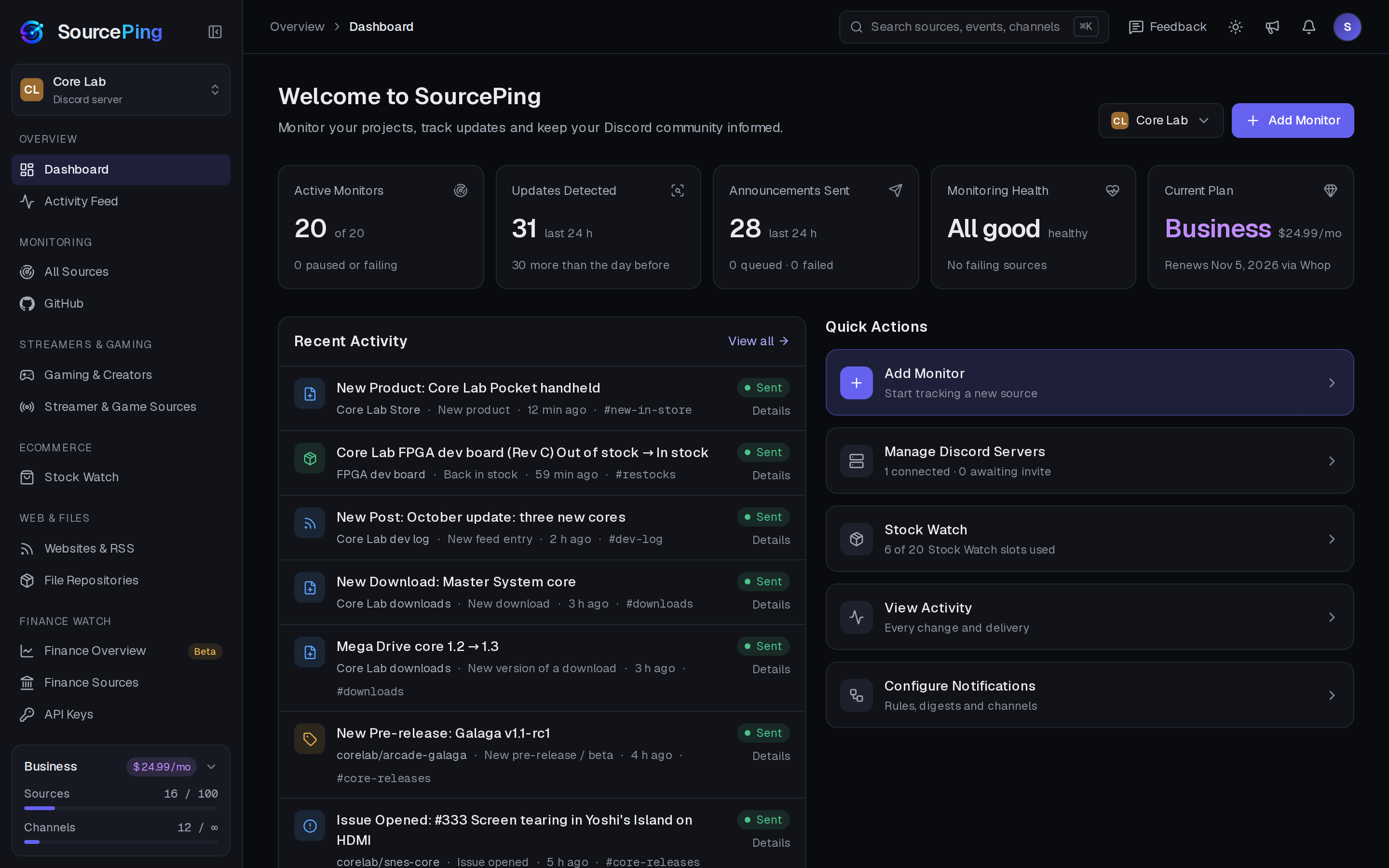
Active monitors, what was detected and posted in the last day, your plan, and every source with its status.
What kinds of download pages work?
Public pages that link to downloadable files, such as a software downloads page or a file list. SourcePing reads the file links and the text around them for titles, versions and descriptions.
How does it tell a new version from a new file?
When a file disappears and another with the same name but a higher version appears in the same check, it is treated as one update, for example from 1.2 to 1.3.
Can I watch just one download?
Yes. Pick a single file or entry from the listing and only changes to that item are announced.
Does it notice when a file is replaced without a new version?
Yes. SourcePing checks a rotating sample of download links for changes in size or modified date, and announces a replaced file.
How often are download pages checked?
Every 30 minutes on Pro and every 10 minutes on Business. GitHub releases are checked every 15 and 5 minutes.
Will it flood my channel when I add a page with hundreds of downloads?
No. The first check quietly records everything that already exists. Only changes after that are announced.
Tell your users the moment a new version lands.
Add SourcePing to your server and set up your first download monitor in under two minutes.